Product, Gestión del riesgo humano
How to train employees for vishing without calling their phones
Wouldn’t vishing be easier to spot if the caller asked for the “vault codes” outright? Real calls are usually more ordinary than that: confirm this login, help me reset access, keep this between us for a minute. Most people try to help because work depends on cooperation; attackers know how to use that.
The State of Social Engineering 2025 found that 38% of surveyed leaders saw vishing in their organisation last year, while voice-cloning attempts almost doubled from 16% in 2024 to 30% in 2025.
A European Parliamentary Research Service brief found that 70% of adults are unsure they could tell a cloned voice from a real one.
Voice impersonation is also becoming easier to scale. Attackers no longer need a perfect impersonation or a long manual setup for every target. That changes the risk for security teams, because vishing is moving from rare, highly targeted calls to something more repeatable.
Knowing what vishing is does not always prepare someone for the call itself. Company policy can tell employees never to share credentials over the phone. They still need to recognise when an ordinary request is asking for too much.
Email gives people and security tools more to inspect: sender details, links, attachments, wording, time to re-read. A phone call strips most of that away because the employee is listening and replying in real time.
Traditional vishing simulations can be hard to roll out too. Many organisations do not have phone numbers for every employee. Private devices create privacy and approval questions. Callback-style tests can also miss the learning moment if someone hangs up or never connects the experience back to the training.
So how do you train employees for that call without calling their phones? Here is how to build vishing practice without turning it into a phone-number project.
Step 1: Train the teams where voice is already trusted
Vishing training works best when it starts with the teams that already use calls to move work forward.
Helpdesk teams handle password resets, multi-factor authentication issues, VPN access, and account questions. Finance teams deal with payment checks. HR teams work with personal data. Field teams, retail managers, logistics staff, and hospitality teams often rely on the phone because they are not always sitting at a desk.
For these teams, a phone call already belongs in their workflow.
Example: In one WithSecure analysis, callers posed as IT support and led employees through a real Salesforce setup flow. When the employee entered the connection code, it approved a malicious app and left the attackers with lasting access.
A call like that works because the employee feels like they are helping with a normal task. Vishing training should help them notice when that task starts asking for trust, access, or information the caller should not need.
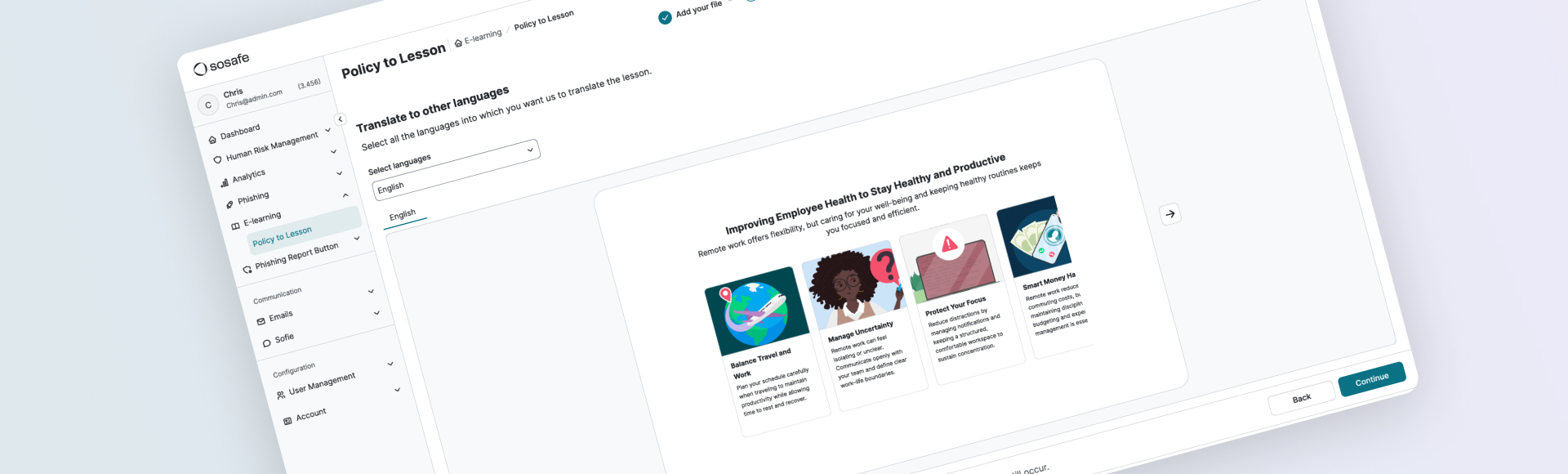
SoSafe’s Interactive Vishing Lesson brings this into the lesson flow. Learners first understand how vishing works, then take part in a simulated voice call in the browser. They practise the situation safely, without receiving a call on an employee phone.
Step 2: Give employees a way out of the call
Vishing training should give employees more than warning signs. It should help them practise what to do when a caller asks for something sensitive.
Employees need a clear fallback action. If a caller asks for credentials, access, codes, personal data, or a process change, they should know how to stop and verify. That might mean checking the request through a trusted channel, following the approved internal process, or ending the call.
SoSafe’s in-browser call lets learners practise this while the lesson is still fresh. The caller may sound like IT, a supplier, or someone asking for urgent help. Learners practise slowing down and choosing a safer response before they face the situation for real.
If a learner makes an unsafe choice during the simulation, the lesson can correct it immediately and explain what to do differently. The mistake stays inside the training, where it can actually help.
Step 3: Avoid the phone-number bottleneck
Traditional vishing simulations can become difficult to run before the training even starts. They often depend on employee phone numbers, calling infrastructure, scheduling, consent, and target management. For security teams already managing several priorities, that can be enough to slow the whole idea down.
An in-browser simulation makes the rollout simpler. Learners do not need to receive a call on a personal or company device. The voice interaction happens inside the lesson, so teams can train the behaviour without collecting phone numbers for a campaign.
This is especially useful for mobile and frontline employees. They may rely on calls throughout the day, but they are often the hardest groups to include in phone-based testing. Browser-based practice gives them a realistic rehearsal without adding another operational layer for the team running it.
Step 4: Make the call feel relevant to the learner
Generic vishing training is easy to dismiss. People hear the scenario and think, “We would not do it that way here.”
Real attackers shape the pretext around the person they are targeting. The call sounds different for someone handling payments than it does for someone managing account access or working away from a desk. Good training should respect those differences.
Before the SoSafe simulation starts, learners add a few basic details so the call can feel closer to their working context. The setup stays light, but it gives the simulation enough to make the conversation more relevant.
The closer the scenario feels to someone’s work, the harder it is to brush off.
For global teams, realism also means language and accent. A vishing call loses its effect if it sounds obviously foreign to the employee’s context. The closer the voice feels to the environment someone actually works in, the more useful the rehearsal becomes.
Step 5: Keep the experience safe enough to learn
Vishing training should never feel like a trap. If employees feel embarrassed or watched, the programme loses trust.
The safer approach is to make the experience clearly instructional. In SoSafe’s lesson, learners can skip the vishing simulation and still continue to the quiz. The use of AI is also made clear before the call begins.
That keeps the experience where it belongs, closer to practice than punishment.
It also solves a common issue with standalone vishing tests. In a live callback-style simulation, an employee may hang up before they realise what happened. The teaching moment can disappear. When the call sits inside the lesson, the learner reaches the reflection point while the experience is still fresh.
Step 6: Turn the call into a reflex
The most useful part of a vishing simulation comes after the call, when the learner connects what just happened to what they should do next time.
The reflection should stay simple. What did the caller ask for? Did the request create urgency? Did it involve credentials, access, personal data, or a process that should have gone through another channel? Would the learner verify it differently next time?
SoSafe brings the call back into the lesson and quiz, so the experience does not end as a one-off interaction. The learner can process the call while it is still fresh and connect it to the safer behaviour.
The reflection should also make the next internal step clear. If a suspicious call happens for real, employees should know who to alert, what to record, and when to stop the conversation. That turns the lesson from awareness into a reporting habit.
For security leaders, that is the value. You are helping employees build a response that technical controls cannot always cover.
Train employees for vishing without calling their phones. Take a SoSafe vishing demo to see how in-browser simulations help build safer judgement in the moment.
You might also be interested in:
 4 min read

Do you want to stay ahead of the cyber game?
Sign up for our newsletter to receive the latest cyber security articles, events, and resources. No spam, only content that truly matters.






















 Reports
  Guides
  Blog
Blog  Glossary
  Perks
Perks  Customer stories
  Newsletter signup
  Webinars
  Replays
  Podcast
  All events
  Signal Security Summit
  Danger Lab
 Why SoSafe
  Careers
  News & press
  Contact